Blender Extension for Carnivores Modding

CarnivoresIO

A direct pipeline between Blender and the classic Carnivores game engine. Import models, textures, and animations. Reconstruct armatures from owner data, edit face flags, sync audio to animations, and export back to engine-ready formats.

Supported Formats

What You Can Work With

.3df
Static Models
Import & Export
Geometry, UVs, embedded ARGB1555 textures, and owner-based vertex groups. Full import and export.
.car
Animated Models
Import & Export
Vertex animations, reconstructed armatures from owners, KPS timing, and linked audio.
.3dn
HD / Mobile Export
Export Only
High-definition static model export for modern Carnivores engine ports.
.vtl
Animation Only
Export Only
Decoupled vertex animation export for use in animation-only workflows.
In Action

The Extension Inside Blender

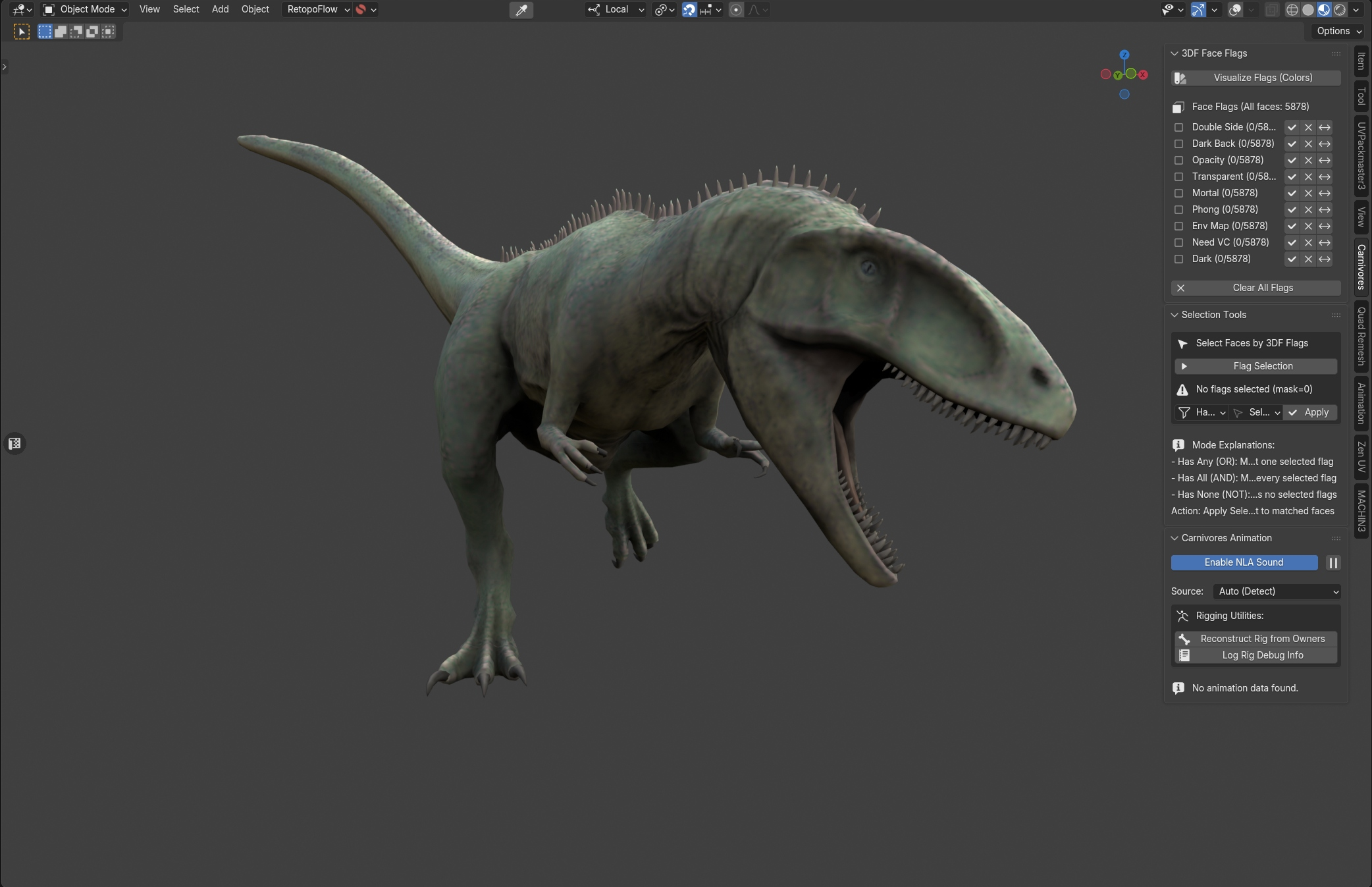
CarnivoresIO extension panel inside Blender
Workflow

From Engine to Blender and Back

Import

Bring in .3df or .car files via File > Import > Carnivores Engine. The addon reads geometry, textures, animation data, and owner groups automatically. Built-in validation checks engine geometry limits before the mesh ever appears.

Edit

Reconstruct the full armature from owner weights. Paint and select face flags by bitmask. Smooth deformations at bone joints. Link audio files to animation actions and hear them in sync as you scrub the timeline.

Export

Write out to .3df, .car, .3dn, or .vtl with handedness correction, UV flipping, and KPS timing preserved. Batch-export multiple static meshes in one go.

Capabilities

Toolkit

01

Rebuild Rigs from Owners

Automatically generates a bone hierarchy from the model's vertex owner groups. Choose between Armature or Hook import modes for different rigging workflows.

02

Shape Key Import

Imports per-frame vertex data as Blender shape keys, organized into NLA strips with precise KPS timing for exact engine reproduction.

03

Synced NLA Sound

Link .wav, .mp3, .ogg, or .flac to animation actions. Audio plays in perfect sync when scrubbing the timeline, with track preview and solo modes.

04

Visual Flag Editing

Visualize engine face flags as vertex colors. Select faces by bitmask logic (Any / All / None) and bulk set, clear, or toggle flags directly.

05

Import Validation

Checks against engine limits (1024/2048 vertices), UV bounds, and texture integrity. Catches errors before you start editing.

06

Joint Weight Smoothing

Procedurally smooths vertex weights at bone joints while preserving limb rigidity. Configurable iterations and intensity.

Compatibility Matrix

System Requirements

Designed for modern Blender using the Extensions API.

Blender 4.2 — 6.0 Windows / macOS / Linux GNU GPL v3

Blender 3.x is not supported. The Extensions API introduced in 4.2 is required.